
Previous

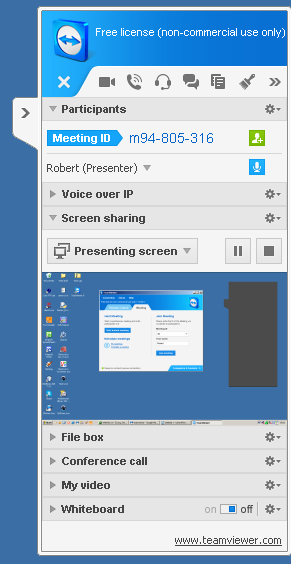
Start Teamviewer for meetings on your Andriod device and enter the Meeting ID shown
in figure 3 into your Android device. In this example it is m94-
Of course your Android device needs to be connected to Wifi on the same network as the host computer running Teamviewer for Windows.
TeamViewer is also available for iPhone, iPad, iPod touch, Windows 8/Windows RT/Windows Phone 8 as well as Android
See http://www.teamviewer.com/en/download/mobile-
Any questions / suggestions or to find out about an alternative timer send an email to timer@rothon.co.uk
Fig. 3 Meeting ID
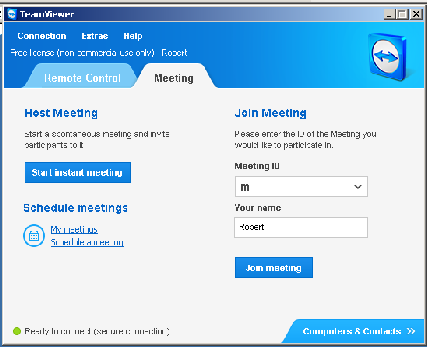
Figure 2.
After clicking on the blue Meeting tab -
Click Blue Start Instant Meeting button and another dialogue box like figure 3 below will appear